Tiếng Việt

Grand Theft Auto: San Andreas is the ultimate open-world action game by Rockstar Games. In this article, Nhat Truong – experienced GTA San gamer – provides a safe Google Drive download link for GTA San APK with high download speed. Additionally, we highlight the most popular global mods such as Unlimited Money, CLEO Menu, Definitive Edition, and Stunt Vehicle Mods to enhance mobile gameplay.
Introduction to GTA San Andreas for Android
GTA San Andreas APK is the Android installation file of the legendary open-world action game Grand Theft Auto: San Andreas. This version brings the full journey of Carl “CJ” Johnson directly to your mobile device. The APK includes remastered graphics, realistic sound, and full mod support, allowing players to enhance gameplay with global popular mods.
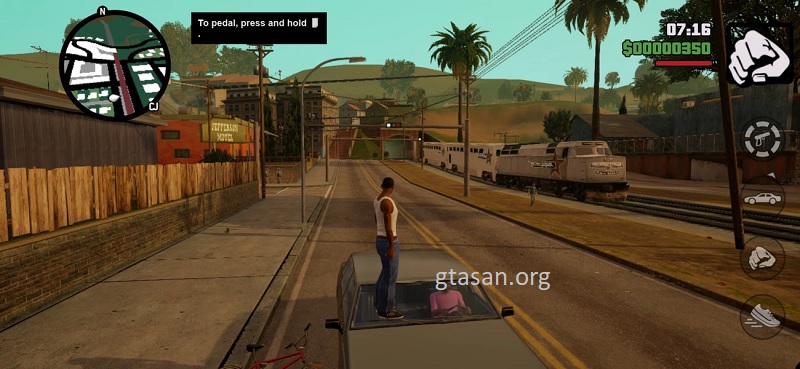
GTA San Andreas APK for Android with global mods support
Key Features of GTA San Andreas Mobile
The mobile APK is more than a simple port. Rockstar Games upgraded the game for touchscreens while keeping the classic “gangster” feel.
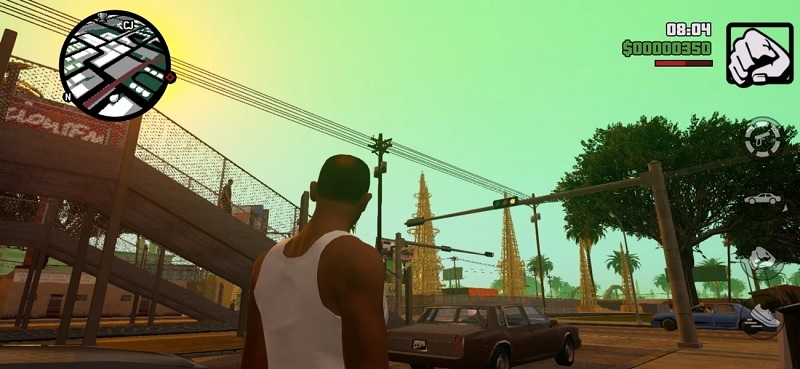
High-Resolution Remastered Graphics
Visuals have been fully remastered, including lighting, shadows, and vibrant colors. Characters and vehicles are highly detailed, offering an impressive visual experience on modern devices.

High-resolution remastered graphics
Customizable Touch Controls
Players can adjust on-screen buttons, use dual-stick controls for smooth movement and camera rotation, and support physical gamepads for a console-like experience on mobile.
Popular Mods Included
At GTA San, we provide top global mods:
- Unlimited Money – gain unlimited in-game cash for easy upgrades and shopping.
- CLEO Menu – spawn vehicles, change weapons, adjust weather, and activate cheats instantly.
- Definitive Edition – improved mobile graphics and gameplay from the official remaster.
- Stunt Vehicle Mods – perform advanced vehicle stunts with realistic physics.
Step-by-Step Installation Guide for GTA San Andreas on Android
This guide prevents common errors like black screens and ensures a smooth installation:
Step 1: Download the APK using the Google Drive link at the end of this article. Install ZArchiver from Google Play to manage and extract game files.
Step 2: In ZArchiver, navigate to the Download folder, select the downloaded file, and choose ‘Extract Here‘.
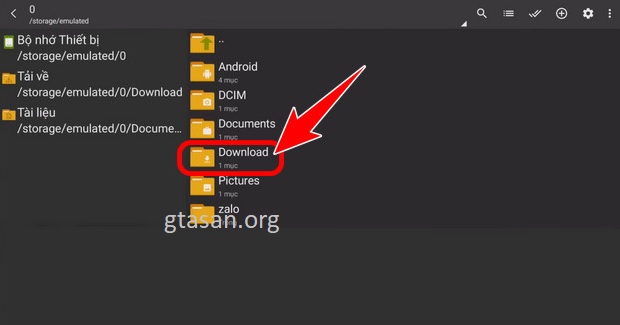
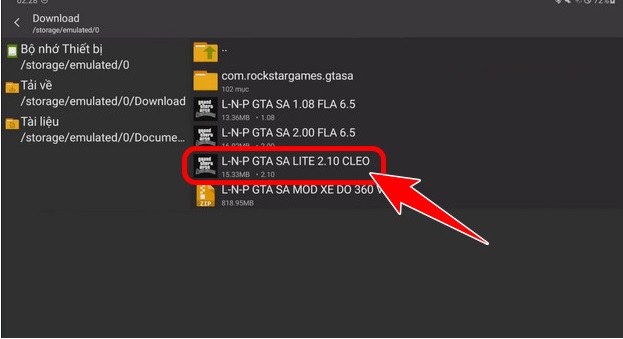
Step 3: Locate the .apk file in the extracted folder, install it, and allow permissions when prompted.
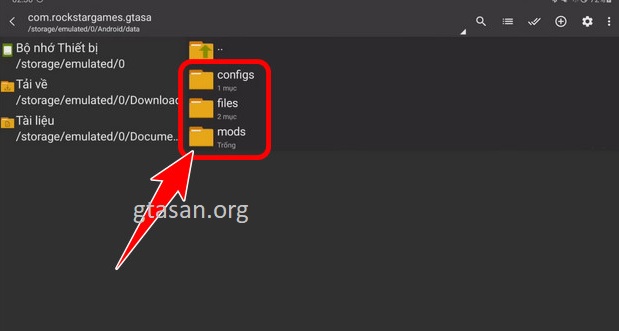
Step 4: Open ZArchiver and navigate to Android/data/com.rockstargames.gtasa to delete old folders: configs, files, mods.
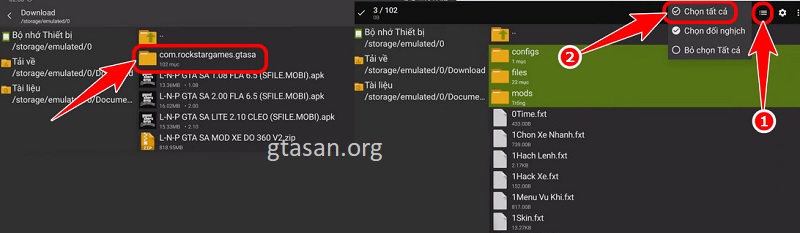
Step 5: Copy all mod files from the extracted “com.rockstargames.gtasa” folder and paste into Android/data/com.rockstargames.gtasa.
Step 6: Exit ZArchiver, launch GTA San Andreas on your device, and enjoy the MOD APK.
Download GTA San Andreas APK Android
Choose the version compatible with your device.
File scanned and verified by gtasan.org
Featured Global Mods
- Unlimited Money – gain unlimited in-game currency instantly.
- CLEO Menu – unlock Script Menu for cheats, vehicles, and weather.
- Definitive Edition – remastered mobile graphics and enhanced gameplay.
- Stunt Vehicle Mods – advanced stunts with realistic physics.
Grand Theft Auto: San Andreas APK remains a global icon. Follow this guide carefully to download GTA San APK safely, install mods correctly, and enjoy uninterrupted mobile gameplay. Stay updated with GTA San: the ultimate guide to APK downloads, popular mods like Unlimited Money and CLEO Menu, and the best tips for smooth mobile gameplay.
Join us for exclusive GTA San content, tips, and updates to level up your gameplay.